Desk Setup Ideas for Keyboard Enthusiasts: Three Practical Layouts
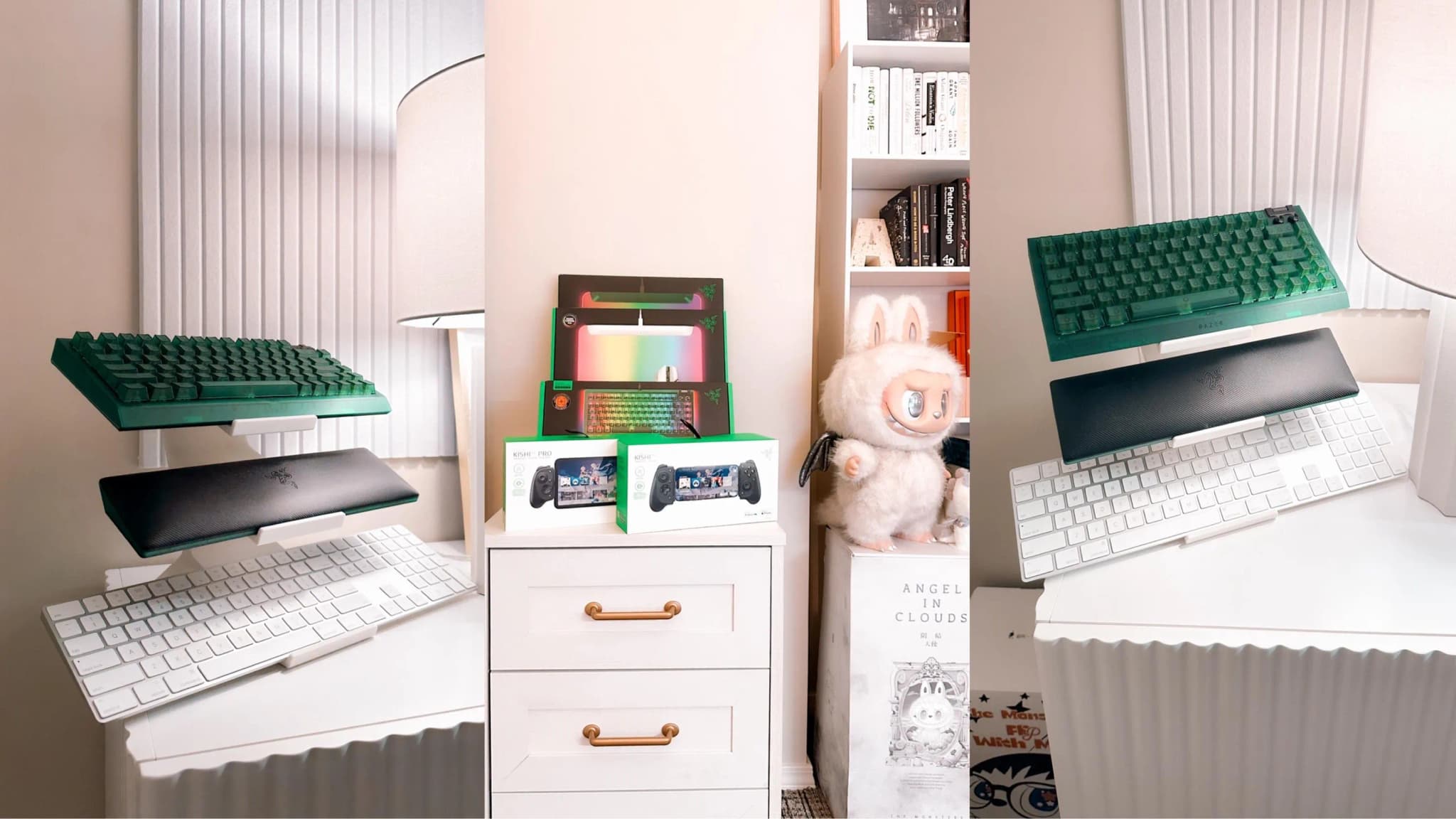
Choose the layout around how you use your desk. A collection that looks good in a photo should also leave room for typing, mouse movement and changing keyboards. Here are three starting points, with customer photos in the gallery for more examples.
A working desk with a small rotation
Keep your current keyboard centered in the working area and put the display toward a rear corner you can reach. Leave the laptop's lid and monitor arm free to move. Before placing a stand at the back, check that you can remove its top keyboard without leaning across everything on the desk.
For a compact rotation, compare the two-tier Angled and Curved options. If you want a single board on display, use the Universal Single. Check actual footprints rather than assuming that fewer tiers always means less depth.
A shelf for a larger collection
A separate shelf keeps the collection visible while leaving your working desk open. Classic offers 3, 4, 5 tiers. Measure the shelf's usable depth, the keyboard overhang and the space above the top board. Make sure the shelf itself is suitable for everything you plan to place on it.
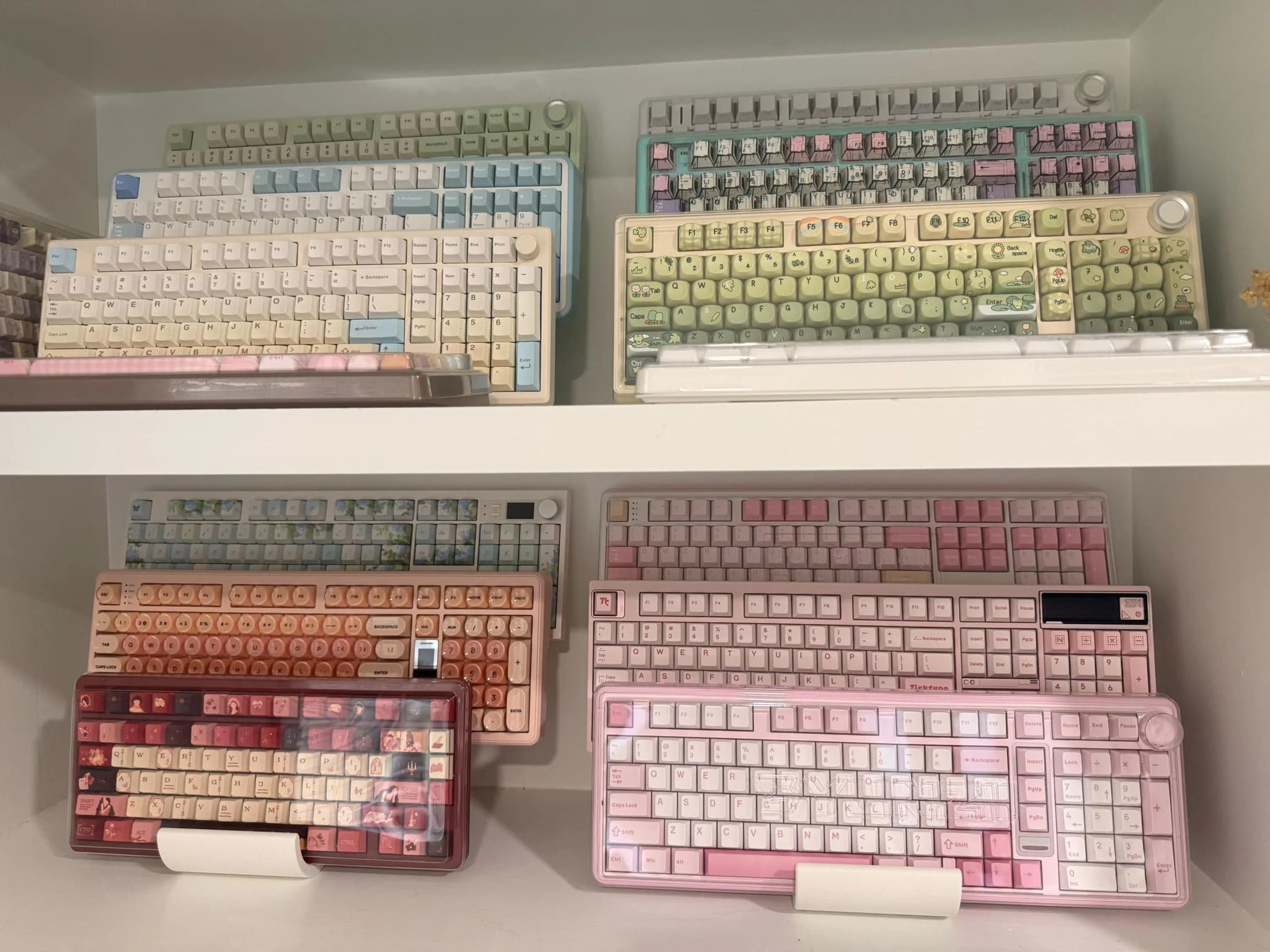
This customer's collection spans several shelves. Repeating a stand color can make a large collection feel consistent while letting the keyboard colors stand out. Use the photo as inspiration, then measure each shelf opening and removal path.
A display viewed from both sides
A Butterfly stand can suit a table or shelf with access on both sides. Its 4, 6, 8 positions are distributed across the two sides. A placement pushed against a wall may make the far side difficult to use, so plan for both the viewing angle and access.
If you want to keep the arrangement low instead, Flat offers 3, 4, 5 tiers. It uses desktop depth for the collection; it is not a single-board typing stand.
Add lighting and accessories last
Check the display from your normal seated position before adding a lamp, plant or other accessories. Soft light from the side can help you see keycaps without putting a bright reflection directly in front of you. Keep watering and drinks away from electronics, and leave your keyboard removal path clear.
Use the size guide for stand dimensions and the layout walkthrough for measuring the whole arrangement. Select your color, optional cork and optional USB cutouts in the configurator once the placement works.
Ready to display your keyboards?
Browse our collection of premium keyboard stands, designed for enthusiasts like you.
Shop Stands